


Hey Asana wizards 👋
At iDO, we thought: “What if Asana wasn’t just a productivity tool… but also a video game?”
Well, we made it happen — and it’s wild.
We played Asanagame, our Asana productivity game, during our remote Spring after-work party. Picture this: Zoom call chaos, laughter, strategy, sabotage — and a timer ticking. It was everything a team-building activity should be. 😄
🛠 How to Set It Up (a.k.a. Build your battlefield)
1. Create a new project and call it something epic, like 🎮 Asanagame.
2. Add three single-select custom fields:
- Column 1
- Column 2
- Column 3
Fill each with all participants’ names, in a totally random order to spice things up. 🎲
3. Create a people custom field called Points and add it to your Org’s library.
4. Create a second project called Results, and add the Points custom field there.
5. Set up a powerful Rule in the 🎮 Asanagame project:
- When → Any of
Column 1,Column 2, orColumn 3is changed - Check if → All three columns are set to the same participant (build one condition box per person)
- Do this →
- Remove the task from the project
- Add the participant to the
Pointscustom field (one action box per person)
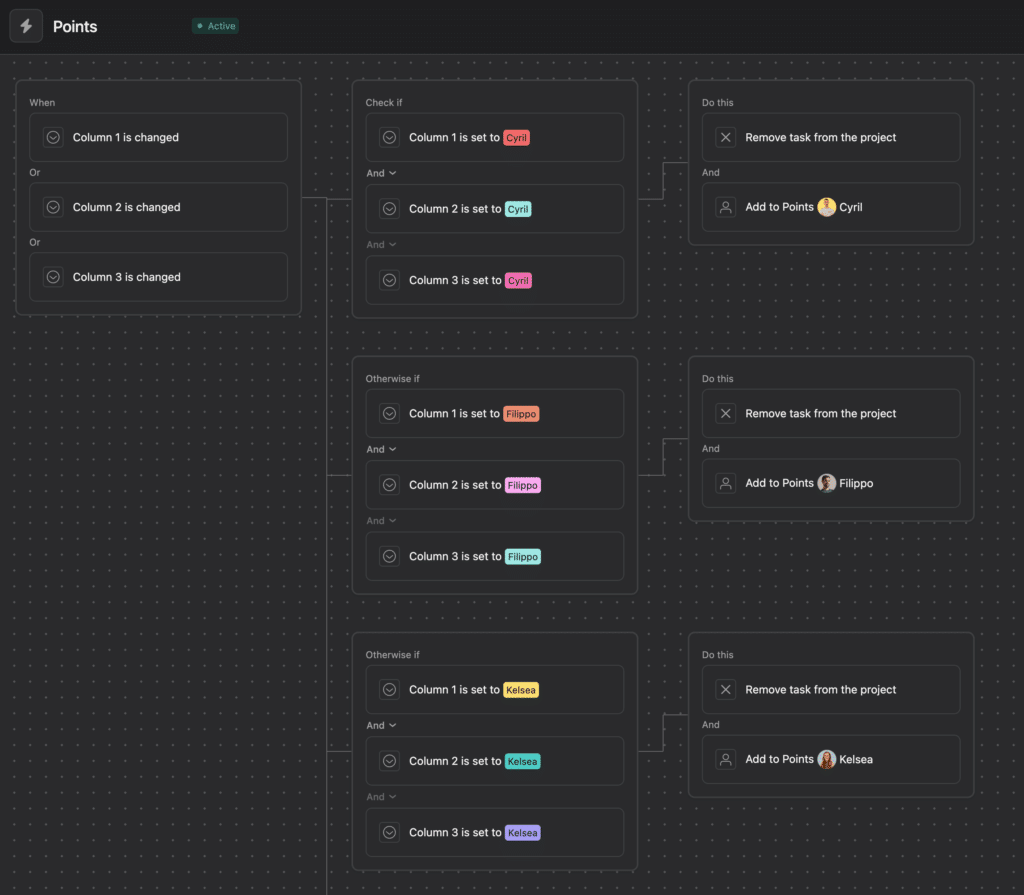
6. Fill up your game board! We added 5 Rounds, each with 50 tasks (250 total). 🏁
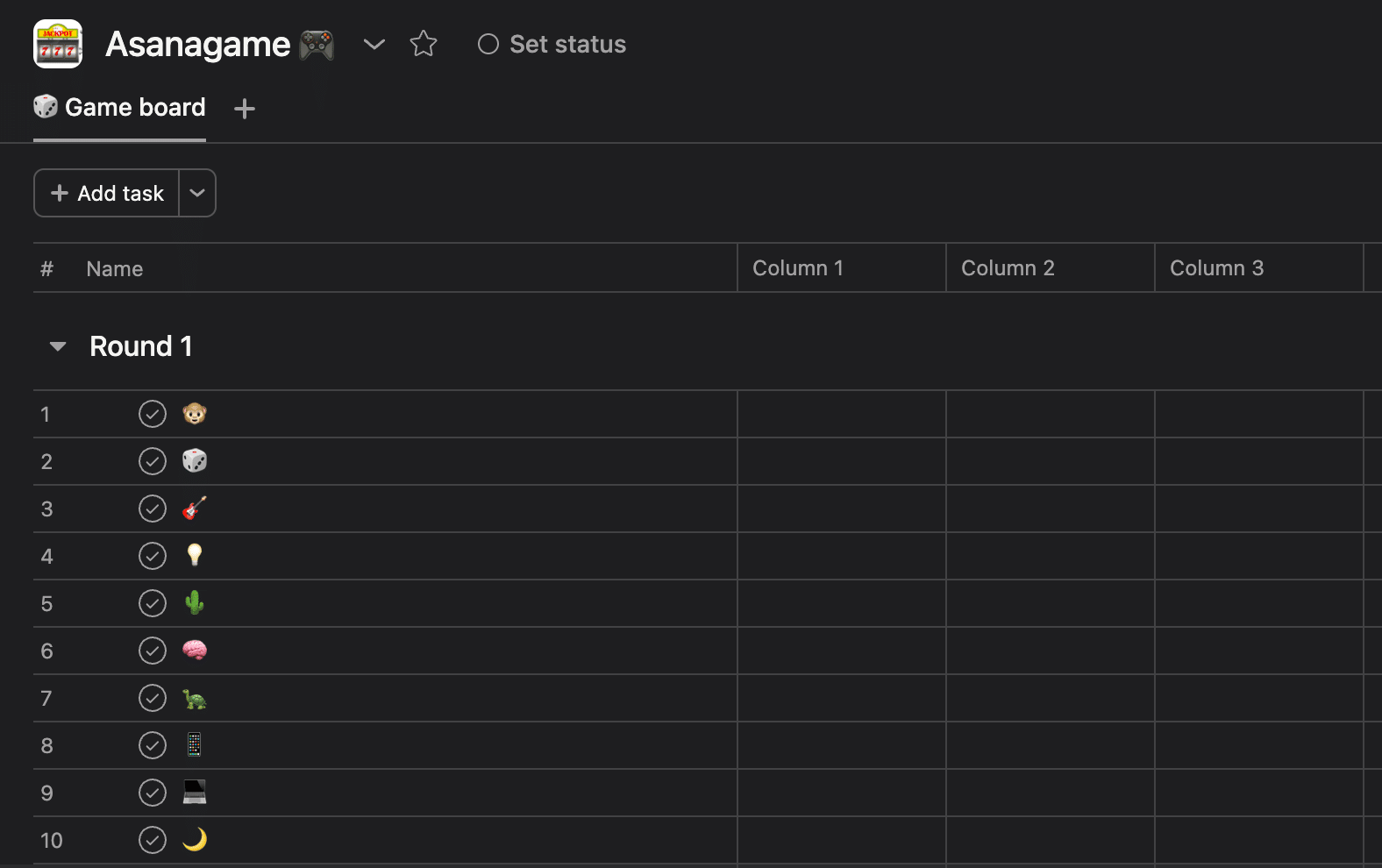
7. Multi-home all tasks in the Results project so the scoring can work its magic.
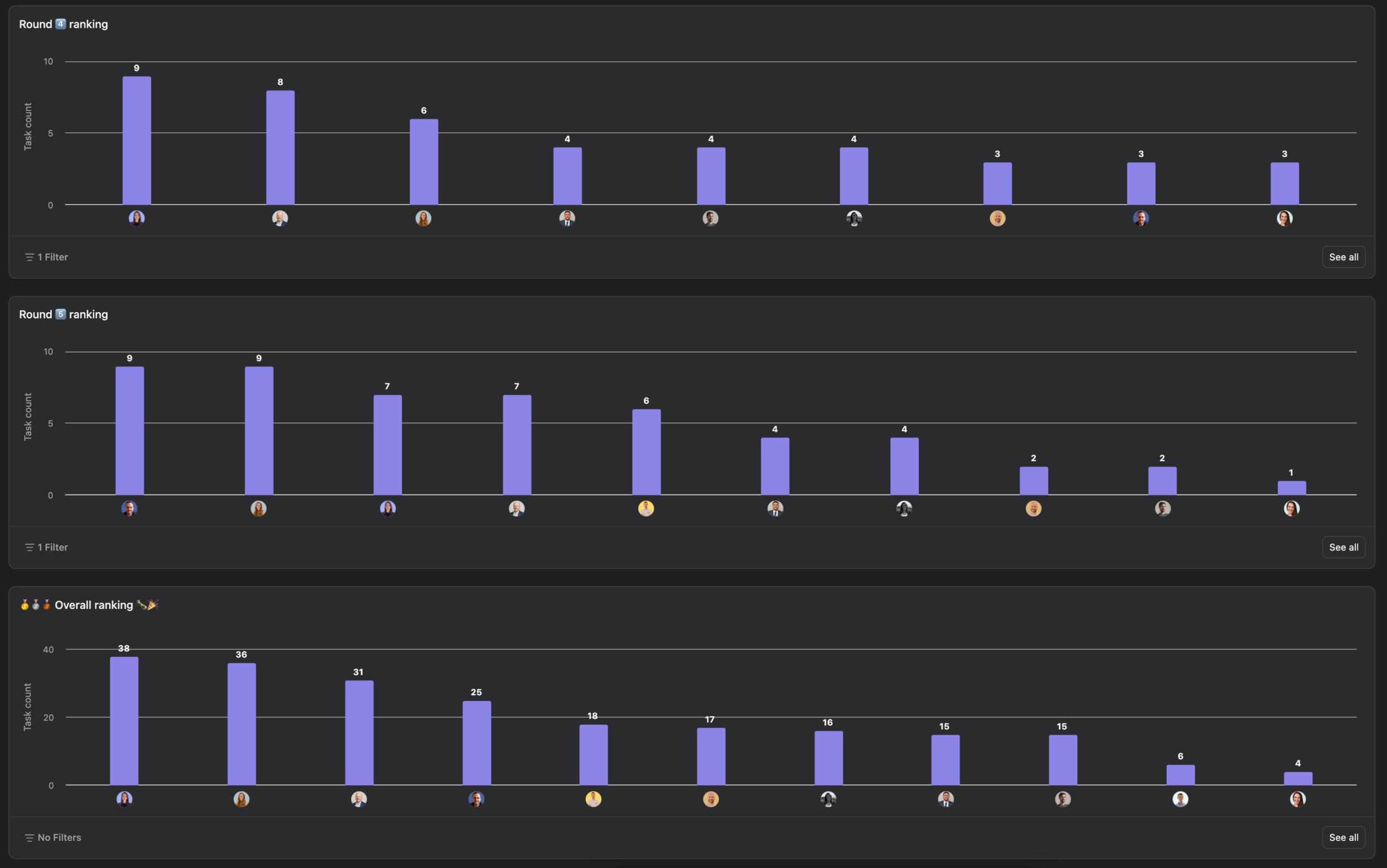
8. Create a Dashboard in Results with charts:
- One per round
- One overall
Use Points on the X-axis and Task Count on the Y-axis. Filters by Round help if you’re competitive like us. 😎
🕹️ How to Play
-
Each player’s mission:
Set their name in all 3 columns of a task.
-
Once all 3 fields match your name → 💥 Boom! You score 1 point, and the task disappears.
-
You’ve got 1 minute per Round, so move fast! ⏱️
-
Watch out for other players — they might be editing the same task as you! 👀
🚫 Rules of Engagement
-
⏳ 1 minute per Round.
-
🙅♀️ No multi-selecting (it’s a game, not a spreadsheet).
-
🤖 No AI allowed to fill in fields for you (nice try, though).
-
🛑 Hands off the
Pointsfield — it’s sacred.
🤪 Why It’s So Fun
The chaos is very real.
Imagine trying to score while someone else is changing the same fields at the same time. It’s like digital tug-of-war. 🥵
Tasks vanish right before your eyes. Competitors mess up your combos. People scream (in joy… or despair).
It’s beautiful. It’s savage. It’s Asanagame.
That said — fair warning! Playing all together on the same project at the same time did cause a few hiccups.
Some of us got briefly kicked out of the project or saw weird sync issues 👻. It didn’t stop the fun, but it definitely added a little extra spice to the game. So… consider it part of the challenge 😅
Let us know if you try it out or want help setting it up!
May the best taskmaster win! 🏆🧙♂️🔥